

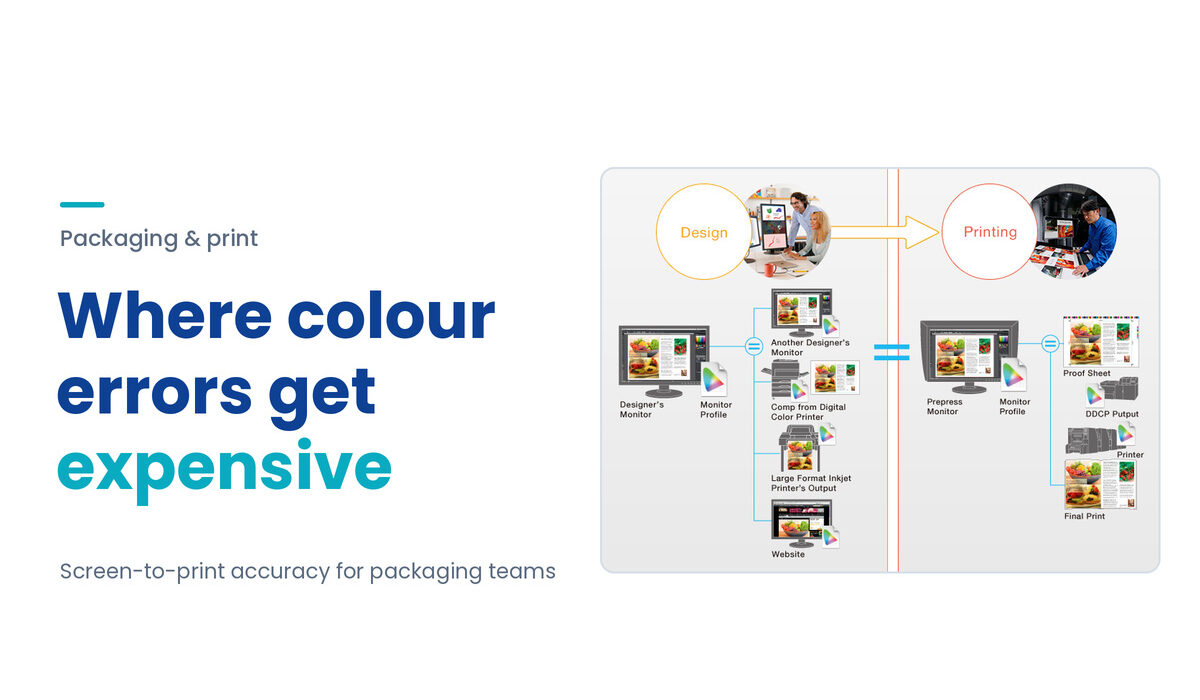
Packaging Design: Where Color Errors Get Expensive

On screen, a wrong color costs a click to fix. On a printed packaging run, it costs a reprint. Here is where color errors start in packaging design and how a calibrated monitor catches them early. On a designer’s screen, a color mistake takes seconds to fix. On thousands of printed cartons, it means a reprint, a wasted board, and a missed launch date. Packaging is where color accuracy stops being a design detail and becomes a cost.
Why packaging is less forgiving
Packaging color carries the brand. Shoppers recognize products by color before they read the name, so a brand red that prints slightly orange is noticed. Packaging also rarely stands alone. A range of products sits side by side on the shelf, often printed at different times, on different materials, and by different printers. Any difference between them is easy to see. The highest cost comes from timing. A color problem found on screen costs nothing. Found on press or after delivery, it costs the whole run.
Where the errors start
Most packaging color errors begin long before the press, at the designer’s monitor:
  • The screen shows the color print can’t reach. Monitors display colors that CMYK printing cannot reproduce. A vivid green that looks perfect on screen may print noticeably duller.
  • The monitor has drifted. Every monitor changes as it ages. Without regular calibration, what the designer approves is not what the file contains.
  • The screen is far brighter than paper. A monitor at full office brightness makes designs look brighter and punchier than the printed result will be.
  • The screen isn’t even. Many monitors show the same color slightly differently in the corners than in the center, which misleads anyone judging a large layout.
  • Everyone sees something different. The designer, the brand manager and the printer each approve the same file on different screens.

  • What a proofing-ready setup looks like
    The answer is a monitor that can predict the print and a workflow built around it. This is called soft proofing: checking the design on screen with the printer’s color profile applied before anything is printed. A setup that does this reliably has a few things in common. The monitor’s color range covers the CMYK spaces used in commercial printing. It calibrates itself on a schedule, so accuracy doesn’t depend on someone remembering. It corrects uneven brightness and color across the screen. Its brightness and white point are set to match paper, and designs are compared against prints under a standard 5000K viewing light. For agencies and in-house teams, every monitor should share the same calibration targets, so everyone approves the same colour.
    What a monitor can’t do
    A monitor reduces surprises, but it does not replace every proof. Foils, metallic inks, varnishes, embossing, white ink on clear film, and textured or colored boards can’t be fully shown on any screen. For these, physical proofs and press approval remain essential. The value of soft proofing is fewer proof rounds and fewer surprises, not removing the final sign-off.
    The EIZO ColorEdge CG2700S for packaging work
    The ColorEdge CG2700S is a 27-inch (2560 × 1440) color management monitor built for this kind of work. EIZO states that it covers 99% of Adobe RGB and almost all of the ISO-coated and US-web-coated CMYK spaces used in printing. It carries FograCert Softproofing System (Class A) certification. Its built-in sensor can calibrate the monitor automatically at scheduled times. Digital Uniformity Equalizer (DUE), EIZO’s uniformity technology, corrects tone differences across the screen. EIZO says the color is stable within 3 minutes of switching on, compared with 30 minutes or more for a typical monitor. A 92 W USB-C connection also charges a laptop. For studios with several monitors, ColorNavigator Network lets one administrator manage calibration across the team.
    Planning a color-managed packaging workflow?
    The ARJ Group team can help you set up a monitor and soft-proofing workflow that matches your printers and materials.
Request for a Quotation

Leave A Comment

All fields marked with an asterisk (*) are required

Product Enquiry